Generate a Framework
This page explains how to generate the FPV framework using both command-line and GUI modes.
Prerequisites
- Python 3.9 or newer, link for download https://www.python.org/downloads/
- Create a Python virtual environment:
python -m venv .venv
- Activate the environment:
.venv\Scripts\activate
- Install AutoFV dependencies:
pip install -r requirements.txt
For GUI mode, make sure tkinter is available in your Python installation.
CLI Execution
Use CLI mode when you want automation or script-based execution, this is recommend on Linux enviroment.
Generate from a single RTL file
python autofv.py -f ./rtl/design.sv -o ./formal
Generate from an RTL directory
python autofv.py -d ./rtl -o ./formal
CLI arguments
-f, --file: Path to one RTL file (.svor.v)-d, --directory: Path to a directory with RTL files-o, --output: Output directory where the framework is generated-r, --recursive: Search RTL files recursively in subdirectories (BETA)
GUI Execution
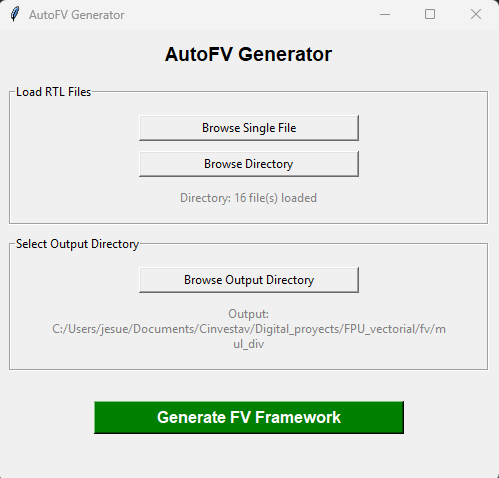
GUI mode starts when you run the tool without CLI arguments. This mode is recommend for academic purposes and for Windows OS enviroment.
python autofv.py
If the GUI does not start, verify that tkinter is installed and available in your active Python environment.
GUI example
Logger
The log file is generated in the same directory where you execute the autofv.py command.
Log file: autofv.log